
GrowTrees
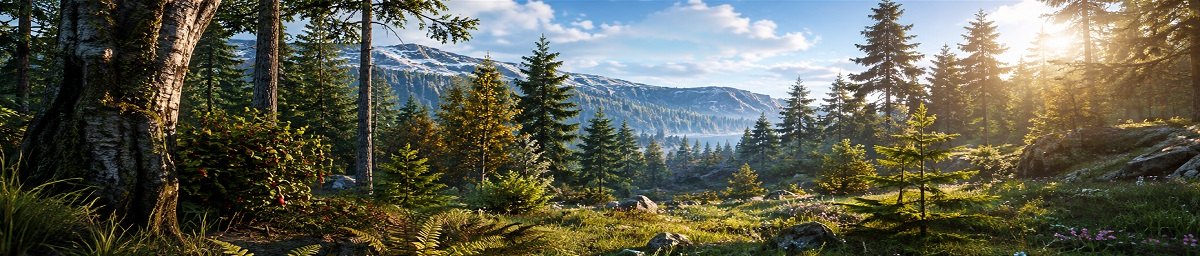
Make forests look denser by replacing small and dead trees with full grown ones.
# 🌲 GrowTrees
GrowTrees is a lightweight Rust server plugin designed to replace and redirect resource spawn folders and prefabs. It allows server owners to swap unwanted or undesirable vegetation and resource prefabs with preferred alternatives, helping maintain a more consistent world environment.
✨ Features
* 🌲 Tree & Vegetation Replacement
Replace dead trees, saplings, small trees, bushes, palms, and other vegetation with alternative prefabs.
* 🌿 Resource Folder Redirection
Redirect resource spawn populations to different resource folders.
* 🍓 Collectable Support
Supports resource populations including mushrooms, hemp, corn, pumpkins, berries, potatoes, flowers, and wheat.
* 🏔️ Multiple Biomes
Replacement mappings cover Arctic, Tundra, Temperate, Arid, and Jungle vegetation.
* 🔧 Fully Configurable
Resource-folder replacements and individual prefab replacements can be customized through the configuration.
* ⚡ Harmony-Based Patching
Uses Harmony to intercept resource population initialization and prefab lookups, allowing replacements to happen automatically.
* 🧹 Optional Automatic Unload
The plugin can automatically unload itself after server startup, allowing its changes to be applied without remaining loaded indefinitely.
* 🐛 Debug Logging
Optional console debugging can report resource folders that are not present in the replacement configuration.
🛠️ How It Works
GrowTrees operates at two levels:
Resource Population Replacement
When Rust initializes a resource spawn population, GrowTrees checks its resource folder against the configured replacement list. If a match is found, the plugin redirects the population to the configured replacement folder.
Prefab Replacement
GrowTrees also intercepts prefab lookups. When Rust requests a configured prefab, the plugin substitutes it with the replacement prefab specified in the configuration.
This makes it possible to replace specific vegetation without modifying the underlying map.
⚙️ Configuration
The plugin provides configuration options for:
| Setting | Description |
| ----------------------- | ------------------------------------------------------------------------- |
| Debug | Enables console debug messages |
| AutoUnloadDelay | Delay before automatically unloading the plugin; 0 disables auto-unload |
| Resource Replacement | Maps resource spawn folders to replacement folders |
| Replace Prefab Lookup | Maps individual prefabs to replacement prefabs |
The default configuration contains extensive mappings for trees, bushes, saplings, crops, berries, flowers, and biome-specific vegetation.
📦 Installation
1. Download GrowTrees.cs.
2. Place it in your server's Oxide plugins folder.
3. Start or restart your Rust server.
4. The configuration will be generated automatically.
5. Customize the replacement mappings as required.
📝 Notes
GrowTrees does not add a new tree-growth mechanic or player command. Its purpose is to intercept Rust's resource population and prefab lookup systems and substitute configured resources/vegetation with alternatives.